
Best AI Interior Design Tools Compared (2026)
Compare the best AI interior design tools — photo-based apps, web generators, and 3D planners. Find the right AI room design app for your project and budget.

The best AI interior design tools let you photograph any room and see it redesigned in under 30 seconds. Homeify leads with 80+ styles and instant AI room design from a photo — this guide compares every category so you choose the right tool for your project.
AI Interior Design Tools: What They Are and How They Work
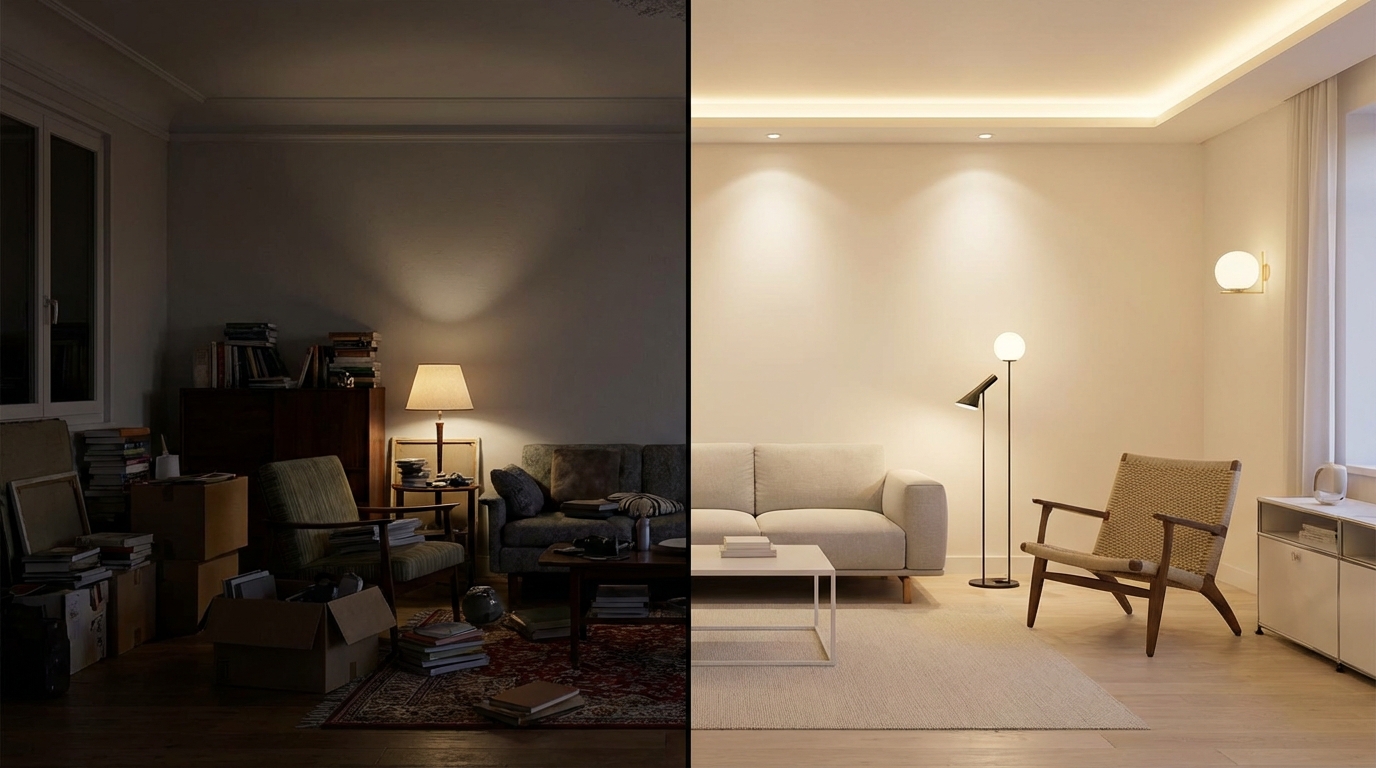
AI interior design tools use machine learning and generative AI to transform photos of real rooms into redesigned spaces. You upload a picture of your living room, select a style — japandi, scandinavian, industrial — and the AI generates a photorealistic visualization of that room in your chosen aesthetic. No floor plans, no 3D modeling, no design degree required.
The technology behind these tools has matured rapidly since 2024. Early versions produced blurry, unrealistic outputs that looked more like watercolor paintings than actual rooms. In 2026, the best tools generate results that are nearly indistinguishable from professional interior photography. They understand spatial relationships — where walls meet floors, how light enters through windows, which furniture proportions fit a space.
What makes this category genuinely useful is the problem it solves: the inability to project. Most homeowners have experienced regretting a design choice — a paint color that looked great on the swatch but terrible on the wall, a sofa that clashed with the floor. The average cost of correcting a bad paint color is €200-500. A misguided kitchen renovation runs €5,000-15,000. AI visualization tools let you test before you commit — for a fraction of the cost of a single can of paint.
Three broad categories exist today: photo-based AI apps (upload a photo, get a redesign), 3D planning software (build a virtual room from scratch), and web-based generators (browser tools with varying quality). Each serves a different use case, and understanding the differences saves you from choosing the wrong tool for your project.
One often-overlooked factor: style library depth. Many AI tools offer 10-15 generic presets — “modern”, “traditional”, “minimalist” — that barely scratch the surface of what homeowners actually search for. A tool with 80+ specific styles lets you test everything from japandi to bohemian to craftsman to coastal, covering the full range of American home aesthetics. The difference between “modern” and “mid-century modern” is enormous in practice — and only tools with granular style libraries capture that distinction.
How AI Room Design From a Photo Actually Works
The workflow is simpler than most people expect. Here is what happens behind the scenes when you use a photo-based AI tool like Homeify:
- You photograph your room — a single shot from a corner captures the most usable angle
- The AI segments the image — it identifies walls, floors, ceiling, windows, doors, and existing furniture as separate elements
- Style transfer applies — the model replaces textures, colors, and objects while preserving the room’s geometry and lighting conditions
- You see the result — a photorealistic before/after comparison in under 30 seconds
The key technology is diffusion-based image generation combined with semantic segmentation. The AI does not just apply a filter — it understands that a wall is a wall, a window is a window, and the light source comes from the left. This spatial awareness is what separates serious tools from novelty apps.
Photo quality directly impacts output quality. Shoot in natural daylight, avoid extreme wide-angle lens distortion, and keep the room reasonably tidy. A cluttered room with poor lighting produces mediocre results regardless of the AI model behind it.

The speed difference between tool categories is dramatic. A photo-based app delivers results in under 30 seconds. A web generator typically needs 1-5 minutes. Building the equivalent visualization in 3D planning software requires 30-60 minutes of manual room construction before you see anything. For someone who wants to quickly answer “would my salon look good in japandi style?”, the photo-based approach is the only practical choice.
What to Look for in the Best AI Interior Design App
Not all tools are built for the same purpose. Before choosing, consider these criteria:
- Photo realism — does the output look like a real room or a video game render? Test with your own photos, not the tool’s curated examples
- Style variety — tools offering 10-15 styles limit your exploration. The best apps provide 80+ design styles spanning classic, modern, ethnic, and trending aesthetics
- Speed — if a tool takes 5+ minutes per generation, you will not experiment freely. Under 30 seconds is the benchmark for practical use
- Language support — most AI design tools are English-only. If you are searching for furniture or materials in France, French-language results and recommendations make a real difference
- Before/after comparison — the ability to slide between original and redesigned photos is essential for evaluating changes
- Mobile experience — room photos are taken on phones. A native mobile app with direct camera access is faster than uploading to a website
- Price transparency — some tools hide costs behind “credits” or per-image charges. Look for flat annual pricing you can budget for
- Offline capability — if you want to photograph a room and redesign it on the spot (at a furniture store, during an apartment visit), a native app that works without constant uploads is faster than a web tool
- Output sharing — can you easily send before/after comparisons to a partner, roommate, or contractor? The best tools let you export or screenshot comparison views directly
AI Interior Design Tools Compared
The market splits into four categories. Here is how they stack up across the criteria that actually matter:
| Feature | Photo-Based AI Apps | Web AI Generators | 3D Planning Software | AR Filters |
|---|---|---|---|---|
| Best for | Instant room makeover visualization | Quick style experiments | Full renovation planning | Paint color preview |
| Input required | One photo | One photo + prompts | Floor plan + dimensions | Live camera feed |
| Realism | High (photorealistic) | Medium to high | High (3D render) | Low |
| Speed | < 30 seconds | 1-5 minutes | 30-60 minutes setup | Real-time |
| Design styles | 80+ (Homeify) | 10-30 typically | Depends on library | 3-5 presets |
| French support | Yes (Homeify) | Rarely | Partial | No |
| Typical cost | €45/year (Homeify) | €10-30/month | Free to €100/year | Free |
| Learning curve | None | Low | Medium to high | None |
Photo-based AI apps are the sweet spot for most people: fast results, zero learning curve, and realistic enough to make actual decorating decisions. Homeify stands out in this category with 80+ styles, French language support, and results in under 30 seconds — at €45/year, it costs less than a single hour with an interior decorator.
3D planning software makes sense if you are doing a full renovation and need precise dimensions, floor plans, and contractor-ready layouts. The trade-off is significant setup time — expect to spend 30-60 minutes building your virtual room before seeing any design suggestions.
Web generators vary wildly in quality. Some produce impressive results; others generate obviously artificial images. Most charge per generation or use a credit system that adds up quickly — 10 generations at €2 each already exceeds a full year of a dedicated app. Few support French, and browser-based tools require uploading photos to external servers each time.
AR filters are limited to paint color preview and basic furniture placement. Fun for a quick experiment, but not useful for serious decorating decisions. The technology works best for single surfaces (a wall color, a rug pattern) rather than full room transformations.
A key insight from this comparison: the right tool depends on your project stage. If you are browsing for inspiration and want to see your room in 10 different styles, a photo-based app is the fastest path. If you are planning a full renovation with contractors, 3D software gives you the precision they need. Most people start with the first and graduate to the second only for major projects.
Room-by-Room: Where AI Design Makes the Biggest Difference
Not every room benefits equally from AI visualization. Here is where the technology delivers the most value:
Living Room
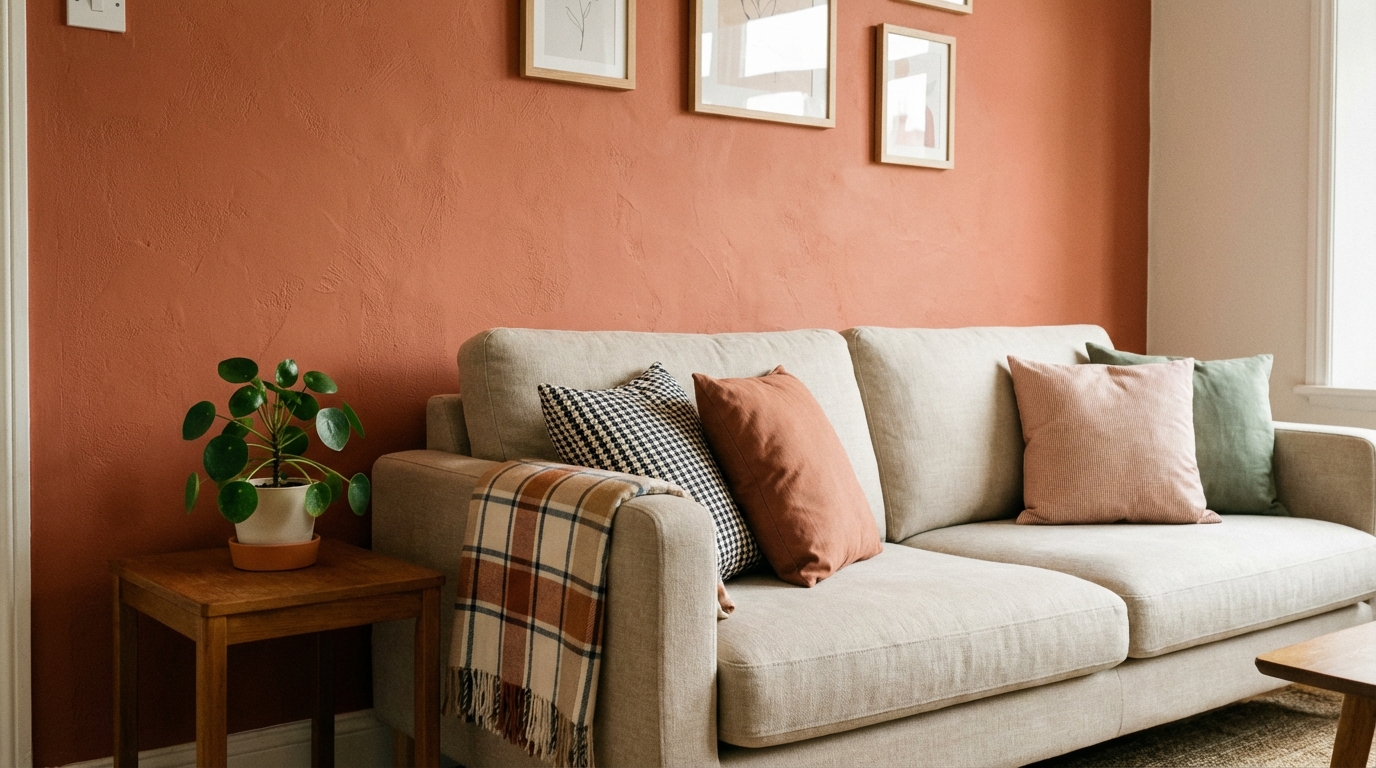
The living room is where AI design tools shine brightest. It is typically the largest room, the most visible to guests, and the most expensive to redecorate. Testing whether your beige salon would look better in deep navy or warm terracotta — before buying €300 worth of paint — is the single highest-value use case for AI visualization. Style experiments across bohemian, mid-century modern, or minimalist aesthetics take seconds instead of weeks of Pinterest browsing.

Kitchen
Kitchen renovations are notoriously expensive, averaging €8,000-15,000 in France. AI tools let you test black kitchen concepts, experiment with open shelving versus closed cabinets, or see how a wood countertop pairs with your existing tile floor. The visualization is not contractor-grade, but it prevents the most costly mistake: choosing a direction you will regret after the deposit is paid.
Bedroom
Bedrooms benefit from AI design when you are experimenting with color and mood. A white bedroom feels serene in a photo but clinical in practice? AI tools show you how warm whites, cool grays, and accent colors interact with your specific room’s light. This is particularly valuable for bedrooms that face north (cooler light) versus south (warmer light) — the same paint color reads completely differently depending on orientation. AI visualization accounts for your actual light conditions, making it far more reliable than a 5 × 5 cm paint swatch from the hardware store.
Bathroom
Modern bathrooms involve materials that are difficult and expensive to change: tile, fixtures, countertops. AI visualization helps you evaluate tile patterns and vanity styles before committing to a €3,000-5,000 renovation that cannot easily be undone.
Outdoor Spaces
Terrace and garden ideas are a growing use case. AI tools can show how a bare concrete patio transforms with wooden decking, planters, and outdoor furniture — especially useful for rental properties where you want to visualize temporary improvements.
Home Office
The post-2020 remote work boom made the home office a priority room. AI visualization helps you test whether a deep accent wall behind your screen improves video call aesthetics, whether open shelving or closed cabinets better suit your work style, and how different desk positions interact with your window light. A well-designed home office directly impacts productivity — and AI tools let you optimize it in minutes instead of months of trial and error.
Entryway
Often the most neglected space, entryways benefit from AI design because they are small, high-impact areas. Testing mirror placement, storage solutions, and accent colors in a narrow hallway is difficult to do mentally. AI shows you exactly how a slim console table and oversized mirror transform a forgotten corridor into a welcoming entrance — without buying furniture that might not fit.
Free vs Paid: What You Actually Get
The word “gratuit” appears in nearly every AI design tool search. Here is the honest breakdown of what free tiers typically include:
What free tiers offer:
- 1-3 room transformations — enough to test the technology, not enough to redesign your apartment
- Limited style selection — usually 5-10 styles instead of the full library
- Lower resolution outputs — fine for screen viewing, not for sharing or printing
- Watermarked images — some tools overlay branding on free results
When to upgrade to paid:
- You want to try more than 3 styles on the same room (most people need 5-10 experiments to find their direction)
- You are working on multiple rooms (a full apartment redesign requires 15-30 generations minimum)
- You need high-resolution exports for sharing with a partner, landlord, or contractor
- You want before/after comparisons at full quality
The math is straightforward: a paid app like Homeify at €45/year costs less than a single paint sample kit from Home Depot. If it prevents even one wrong color choice, it has paid for itself.
Worth noting: “free” web generators often cost more than paid apps when used seriously. A typical credit-based web tool charges €1.50-3 per generation. Redesigning 3 rooms × 5 style experiments each = 15 generations = €22-45 in credits — the same as an annual app subscription, but without unlimited access for the rest of the year. Always calculate the total cost of your actual usage, not just the entry price.
How to Get the Best Results from AI Design
The quality of AI output depends heavily on your input. Follow these guidelines to get results you can actually trust:
Photography tips:
- Shoot from a corner of the room to capture two walls, the floor, and ceiling — this gives the AI maximum spatial information
- Use natural daylight whenever possible. Artificial light casts color that distorts the AI’s understanding of your walls and floors
- Keep the phone level and steady — tilted shots produce warped outputs
- Remove clutter from surfaces. A messy desk or overflowing shelf confuses the segmentation algorithm

Style selection strategy:
- Start with 3-5 styles you like, then narrow down based on what works with your room’s proportions and light
- Consider your room’s fixed elements — if you have warm wood floors, cold industrial styles may clash. If your windows face north, dark moody styles risk feeling oppressive
- Save your favorites as before/after pairs — comparing them side by side is more reliable than remembering what each looked like
Common mistakes to avoid:
- Using only the tool’s demo images to evaluate quality — always test with your own photos. Marketing demos use ideal lighting and angles that your apartment may not have
- Trying too many styles at once — start with 3-5 that genuinely interest you. Generating 30 random styles creates decision paralysis, not clarity
- Ignoring fixed elements — your floor, ceiling height, and window placement are constants. An AI suggestion that looks stunning in a loft with 12-foot ceilings may feel oppressive in a standard 8-foot ceiling apartment
What AI cannot do:
- Measure your space — it visualizes, it does not calculate whether a sofa fits through your doorway or your hallway
- Source specific products — it shows a style direction, not a shopping list with exact product references (though some tools are adding this feature)
- Replace professional advice for structural changes — load-bearing walls, electrical work, and plumbing require an architect or contractor, not an app
- Account for acoustics and temperature — a beautiful all-marble bathroom may look stunning in AI but feel cold and echoey in reality
AI Design for Renters vs Homeowners
The use case differs significantly depending on whether you own your space.
Renters benefit most from AI tools because every change is reversible — paint, furniture, textiles, lighting. AI visualization lets you test ideas that are easy to undo when you move out: an accent wall in sage green, a cozy studio apartment layout with a room divider, or a gallery wall arrangement. The constraint (no permanent modifications) makes visualization even more valuable — you need to get it right the first time.

Homeowners can use AI tools as a pre-renovation decision filter. Before committing €10,000 to a kitchen renovation, generate 10 different directions in Homeify and narrow down to 2-3 finalists. Then bring those visualizations to your contractor or interior designer as a starting brief. It replaces hours of Pinterest board curation with concrete images of your actual kitchen in different styles.
A practical workflow for homeowners planning a renovation:
- Photograph every room you want to renovate
- Generate 3-5 style directions per room to identify what resonates
- Share the before/after images with your partner or family for consensus
- Present the top 2 finalists to your decorator or contractor as a visual brief
- Use the AI outputs as a reference during material shopping — show the image to staff at Home Depot or Lowe’s to find matching products
In both cases, the value proposition is the same: see it before you spend. The cost of an AI design subscription is negligible compared to the cost of a decorating mistake you have to live with — or pay to undo.
Frequently Asked Questions
For photo-based room makeovers, Homeify is the best AI interior design tool on iOS — 80+ styles, results in under 30 seconds, and €45/year flat pricing. Web generators work for quick experiments but charge per image. 3D planning software suits full renovations that need contractor-ready floor plans.
Take a clear photo of your room in daylight, upload it to an AI design app like Homeify, and choose a style. The AI analyzes your space — walls, floor, furniture placement — and generates a redesigned version in under 30 seconds. No prompts or technical skills required.
Several AI tools offer free tiers: Homeify gives you free trial generations on iOS, web-based generators typically allow 1-3 free renders, and 3D planners offer limited free floor planning. For photo-based room visualization specifically, Homeify's free trial delivers the most realistic results.
Modern AI interior design tools produce photorealistic results that accurately reflect how a style would look in your actual space. Quality depends on your input photo — natural daylight and a corner angle give the best results. AI excels at color, furniture style, and layout suggestions but cannot measure exact dimensions or source specific products.
Yes — that is exactly what photo-based AI tools like Homeify are built for. Take a photo of your room, select a style from 80+ options, and see a realistic transformation in seconds. It is the fastest way to test ideas before buying paint or furniture.
Discover More
Was this article helpful?
Download Homeify Free
Transform any room with AI — download Homeify and start redesigning your home for free. The AI room design app trusted by thousands on iOS.
