Ilmainen sisustussuunnittelu ohjelma 2026: vertailu valokuvapohjaisista ja 3D-työkaluista
Ilmaiset sisustussuunnittelu-ohjelmat vertailussa: valokuvapohjaiset tekoälysovellukset, selain-generaattorit ja 3D-mallinnusohjelmat. Valitse omaan projektiisi sopivin.
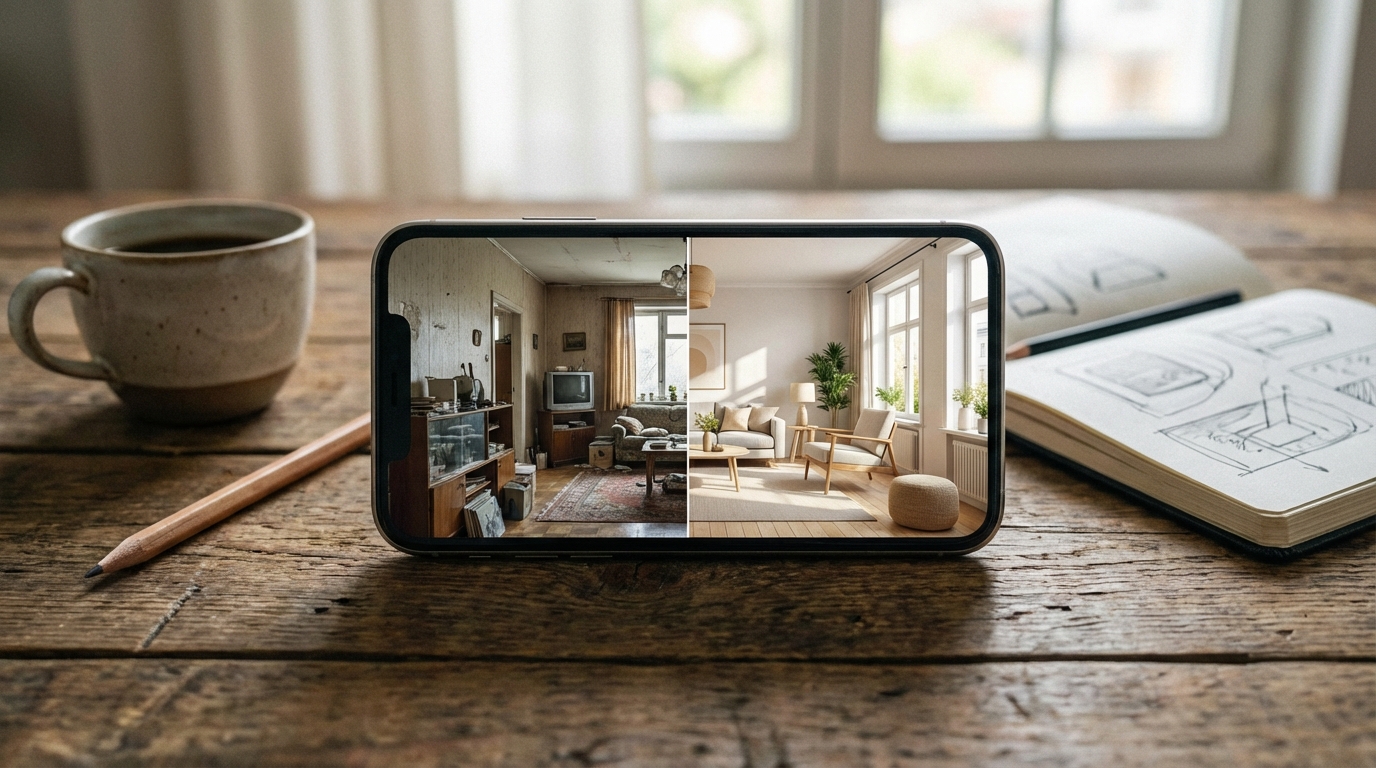
Paras ilmainen sisustussuunnittelu ohjelma riippuu siitä, mitä olet tekemässä. Valokuvapohjainen tekoälysovellus kuten Homeify näyttää oman olohuoneesi uudessa tyylissä alle 30 sekunnissa, kun taas 3D-mallinnusohjelma sopii paremmin urakoitsijakuntoon piirrettyihin pohjapiirroksiin.
Ilmaiset sisustussuunnittelu ohjelmat: mitä ne ovat ja miten ne eroavat toisistaan
Kun selaat Googlesta hakusanaa “ilmainen sisustussuunnittelu-ohjelma”, saat vastaan sekamelskan työkaluja jotka eivät tee samaa asiaa. Osa piirtää pohjapiirroksia, osa mallintaa huoneita kolmiulotteisesti, osa generoi valokuvamaisia tyylivaihdoksia tekoälyn avulla ja osa taas on vain pintaväri-testaajia puhelimen kameralle. Valinta näiden välillä ei ole makuasia — se riippuu täysin siitä, missä vaiheessa oma sisustusprojektisi on.
Suomalainen hakija tarkoittaa sanalla suunnitteluohjelma yleensä kahta hyvin eri asiaa. Ensimmäinen on perinteinen 3D-mallinnusohjelma jossa rakennat huoneen virtuaalisesti tyhjästä — tämä on selaimessa ja työpöydällä toimivien 3D-mallinnustyökalujen sekä isojen kalustebrändien tarjoamien pohjapiirros-työkalujen maailma. Toinen, uudempi kategoria on valokuvapohjainen tekoälysovellus joka ottaa yhden valokuvan huoneesta ja generoi siitä uuden version esimerkiksi japandi-tyylissä tai skandinaaviseen tyyliin. Et piirrä mitään — tekoäly tekee kaiken työn puolestasi.
Ero ei ole pieni. 3D-mallinnusohjelmassa saatat käyttää puolesta tunnista pariin tuntiin rakentaaksesi oman olohuoneesi pohjapiirroksen ennen kuin näet ensimmäistäkään tyylivaihtoehtoa. Valokuvapohjaisessa sovelluksessa saat tulokset ruudullesi alle puolessa minuutissa — ja lopputulos näyttää valokuvalta, ei tietokoneavusteisen piirron renderöinniltä. Kumpi on parempi? Se riippuu täysin siitä, oletko inspiroitumisen vaiheessa vai toteuttamisen vaiheessa.
Kolmas kategoria, selainpohjaiset tekoälygeneraattorit, sijoittuu näiden väliin. Ne toimivat suoraan selaimessa ilman asennusta, mutta vaativat yleensä tekstikehotteen kuvauksena ja lataavat kuvasi ulkoiselle palvelimelle. Laatu vaihtelee villisti: osa tuottaa vakuuttavia tuloksia, osa selvästi tekoälyn tekemän näköisiä sekoituksia. Maksulliset versiot veloittavat yleensä per kuva, ja kertyvä lasku saattaa yllättää. Tämä kategoria on ollut myös se, joka muuttuu nopeimmin — markkinalle tulee ja markkinalta poistuu selaintyökaluja kuukausittain.
Yksi suomalaiselle markkinalle erityisen tärkeä näkökulma: suomenkielinen käyttöliittymä ja tyylikirjasto. Suurin osa isoista tekoälytyökaluista on englanninkielisiä ja niiden tyylipohjat (“mid-century modern”, “coastal”, “craftsman”) perustuvat amerikkalaiseen kodin estetiikkaan. Kun etsit kalusteita K-Raudasta, Vepsäläiseltä tai Stockmannilta, suomenkieliset hakutulokset ja pohjoismainen tyylivalikoima tekevät käytännön eron. Sovellus joka ymmärtää eron japandin ja skandinaavisen välillä — kaksi melko lähellä toisiaan olevaa mutta silti selvästi erillistä tyyliä — antaa sinulle tarkempaa tulosta kuin työkalu jolla on vain yksi geneerinen “Nordic” -preset. Samoin jos etsit teollista tyyliä tai bohem-tunnelmaa, erittäin geneerinen esiasetus tarjoaa harvoin sitä mitä suomalainen hakija oikeasti toivoo nähdä.
Näin valokuvapohjainen tekoäly toimii käytännössä
Prosessi on paljon yksinkertaisempi kuin termi “tekoäly” antaa ymmärtää. Jos olet ennen yrittänyt piirtää pohjapiirrosta käsin tai rakentaa huoneen 3D-ohjelmaan, tiedät kuinka hidasta ja vaivalloista se voi olla. Näin toimii esimerkiksi Homeify:
- Kuvaat huoneesi yhdellä otoksella — paras lopputulos saadaan nurkasta, josta näet kaksi seinää, lattian ja katon samaan aikaan
- Tekoäly pilkkoo kuvan osiin — se tunnistaa seinät, lattian, katon, ikkunat, ovet ja olemassa olevat kalusteet erillisinä elementteinä
- Tyyli asettuu kohdalleen — malli korvaa värit, pinnat ja kalustuksen samalla kun se säilyttää huoneen mittasuhteet ja luonnonvalon suunnan
- Näet lopputuloksen valokuvanomaisena ennen–jälkeen -vertailuna alle puolessa minuutissa
Avainteknologia on diffuusiomalli yhdistettynä semanttiseen segmentointiin. Tekoäly ei siis pelkästään aja kuvaasi Instagram-filterin läpi — se oikeasti ymmärtää että seinä on seinä, ikkuna on ikkuna ja valo tulee vasemmalta. Tämä spatiaalinen hahmotus on se, mikä erottaa vakavasti otettavat työkalut lelusovelluksista.
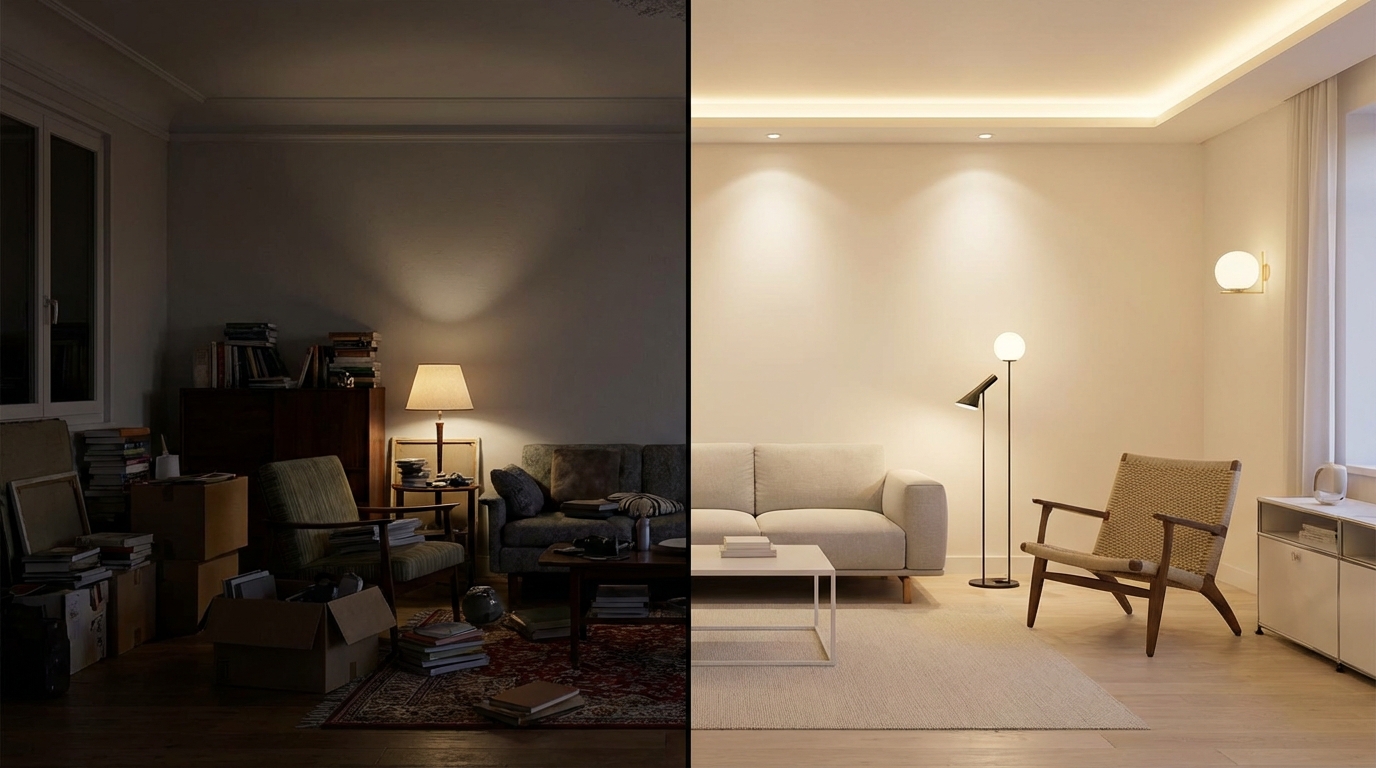
Lähtökuvan laatu ratkaisee tuloksen laadun. Kuvaa päivänvalossa, vältä laajakulmaa ja pidä puhelin suorassa. Sotkuinen huone heikossa valossa antaa heikon tuloksen riippumatta siitä, kuinka hyvä tekoälymalli taustalla on. Kun kamera on suorassa, tekoäly saa oikean perspektiivin, ja lopputulos istuu kuvaan luonnollisesti ilman vinoutumia.
Nopeusero sovelluskategorioiden välillä on dramaattinen. Valokuvapohjainen sovellus palauttaa tuloksen alle 30 sekunnissa. Selaingeneraattori tarvitsee yleensä 1–5 minuuttia. 3D-ohjelmassa vastaavan lopputuloksen rakentaminen vie 30–60 minuuttia manuaalista huoneen pystyttämistä ennen kuin näet ensimmäistäkään tyyliehdotusta. Jos vastaat kysymykseen “sopisiko minun olohuoneeni skandinaaviseen tyyliin?”, valokuvapohjainen reitti on ainoa käytännöllinen vaihtoehto.
Mitä kannattaa vaatia hyvältä sisustussuunnittelu-ohjelmalta
Kaikki työkalut eivät ole tehty samaa tarkoitusta varten. Ennen valintaa mieti näitä kriteereitä:
- Valokuvanomainen lopputulos — näyttääkö tulos oikealta huoneelta vai videopeli-renderöinniltä? Testaa omilla kuvillasi, älä sovelluksen esimerkkikuvilla, jotka on valittu parhaalla valolla ja kuvakulmalla
- Tyylivalikoiman laajuus — 10–15 tyylin kirjasto rajoittaa kokeiluasi. Parhaat sovellukset tarjoavat yli 80 tyyliä joka kattaa perinteiset, modernit ja trendikkäät suunnat
- Nopeus — jos yksi generointi vie 5 minuuttia, et tule kokeilemaan tarpeeksi variaatioita. Alle 30 sekuntia on käytännön raja-arvo
- Suomenkielinen tuki — useimmat tekoälytyökalut ovat vain englanniksi. Suomalaiset tyylinimet, materiaalisanasto ja esimerkkikuvat pohjoismaisessa estetiikassa tekevät oikeasti eron
- Ennen–jälkeen -vertailu — mahdollisuus liukua alkuperäisen ja uudelleensuunnitellun kuvan välillä on ratkaiseva arviointityökalu
- Mobiilikäyttö — huoneet kuvataan puhelimella. Natiivi-sovellus joka käyttää kameraa suoraan on nopeampi kuin kuvien lataaminen selaimeen
- Läpinäkyvä hinnoittelu — osa työkaluista piilottaa todelliset kustannukset “krediittien” tai kuvakohtaisten maksujen taakse. Kiinteä vuosimaksu jonka voit budjetoida ennalta on merkittävä etu
- Offline-toiminta — jos haluat kuvata huoneen ja kokeilla tyyliä paikan päällä, esimerkiksi asuntonäytöllä tai kalustekaupassa, natiivi-sovellus joka ei vaadi jatkuvaa latausta toimii luotettavammin
- Jaettavuus — voitko lähettää ennen–jälkeen -vertailun puolisolle, sisustussuunnittelijalle tai remonttiurakoitsijalle yhdellä kuvakaappauksella?
Neljä sisustussuunnittelu-ohjelman kategoriaa vertailussa
Markkina jakautuu neljään pääkategoriaan. Näin ne asettuvat kriteereillä joilla on käytännön merkitystä:
| Ominaisuus | Valokuvapohjainen tekoälysovellus | Selain-tekoälygeneraattori | 3D-mallinnusohjelma | AR-seinäväri-sovellus |
|---|---|---|---|---|
| Sopii parhaiten | Huoneen tyylin visualisointi yhdestä valokuvasta | Nopeat tyylikokeilut tekstikehotteilla | Täysi remonttisuunnittelu pohjapiirroksineen | Seinävärin esikatselu |
| Vaaditaan syötteeksi | Yksi valokuva | Valokuva + tekstikehote | Pohjapiirros + mitat | Live-kamerakuva |
| Realismi | Korkea (valokuvanomainen) | Keskinkertaisesta korkeaan | Korkea (3D-renderöinti) | Matala |
| Nopeus | Alle 30 sekuntia | 1–5 minuuttia | 30–60 minuuttia asennusta | Reaaliaikainen |
| Tyylikirjasto | Yli 80 (Homeify) | Tyypillisesti 10–30 | Riippuu ohjelmasta | 3–5 esiasetusta |
| Suomenkielinen tuki | Kyllä (Homeify) | Harvoin | Osittain (IKEA, Muurame) | Ei |
| Tyypillinen hinta | 45 €/vuosi (Homeify) | 10–30 €/kuukausi | Maksuton – 100 €/vuosi | Maksuton |
| Oppimiskynnys | Ei ollenkaan | Matala | Keskitaso tai korkea | Ei ollenkaan |
Valokuvapohjaiset tekoälysovellukset ovat useimpien käyttäjien kultainen keskitie: nopeat tulokset, ei oppimiskynnystä, ja tarpeeksi realistinen lopputulos jotta voit tehdä oikeita sisustuspäätöksiä. Homeify erottuu tässä kategoriassa yli 80 tyylillä, suomen kielen tuella ja alle 30 sekunnin generointiajalla — 45 €/vuosi maksaa vähemmän kuin yksi tunti paikallisen sisustussuunnittelijan kanssa.
3D-mallinnusohjelmat ovat oikea valinta kun olet suunnittelemassa täyttä keittiöremonttia tai kylpyhuoneremonttia ja tarvitset millintarkat mitat, urakoitsijakelpoisen pohjapiirroksen sekä materiaalilistat. Vaihtokauppa on merkittävä ajankäytön lisäys — varaa 30–60 minuuttia virtuaalisen huoneen rakentamiseen ennen kuin näet edes ensimmäistä tyylivaihtoehtoa. Suomalaisille käyttäjille toimivimpia ovat selaimessa toimivat ilmaiset 3D-mallinnusohjelmat sekä isojen kalustebrändien omat pohjapiirros-työkalut, jotka ovat erityisen käteviä kun kalusteesi tulevat todennäköisesti samasta liikkeestä.
Selainpohjaiset tekoälygeneraattorit vaihtelevat laadultaan rajusti. Osa tuottaa vaikuttavia tuloksia, osa selvästi keinotekoisen näköisiä kuvia. Useimmat veloittavat per generointi tai käyttävät krediittijärjestelmää joka kertyy nopeasti — kymmenen generointia kahden euron hintaan ylittää jo kokonaisen vuosimaksun omistetulla sovelluksella. Harvat tukevat suomea, ja selainpohjainen työkalu vaatii kuvien lataamisen ulkoiselle palvelimelle joka kerta kun testaat uutta tyyliä.
AR-seinäväri-sovellukset toimivat vain yksittäisten pintojen esikatseluun — seinän väri, maton kuvio, lattiamateriaali. Hauska hetken huvi, mutta ei käyttökelpoinen vakaville sisustuspäätöksille. Teknologia toimii parhaiten kun testaat yhtä muutosta kerrallaan, ei kun haluat nähdä koko huoneen uudessa tyylissä.
Tärkeä oivallus näistä neljästä kategoriasta: oikea työkalu riippuu siitä, missä vaiheessa projektiasi olet. Jos haet inspiraatiota ja haluat nähdä saman olohuoneen kymmenessä eri tyylissä ennen kuin pääkin on täynnä ideoita, valokuvapohjainen tekoäly on nopein reitti. Jos olet jo tehnyt valinnat ja suunnittelet urakoitsijan kanssa täyttä remonttia, 3D-ohjelma antaa hänelle tarvittavan tarkkuuden. Useimmat aloittavat ensimmäisellä kategorialla ja siirtyvät toiseen vasta isoa remonttipäätöstä varten.
Huone kerrallaan: missä tekoäly tekee suurimman eron
Kaikki huoneet eivät hyödy yhtä paljon tekoäly-visualisoinnista. Tässä listassa ne tilat, joissa teknologia tuo konkreettisimman arvon:

Olohuone
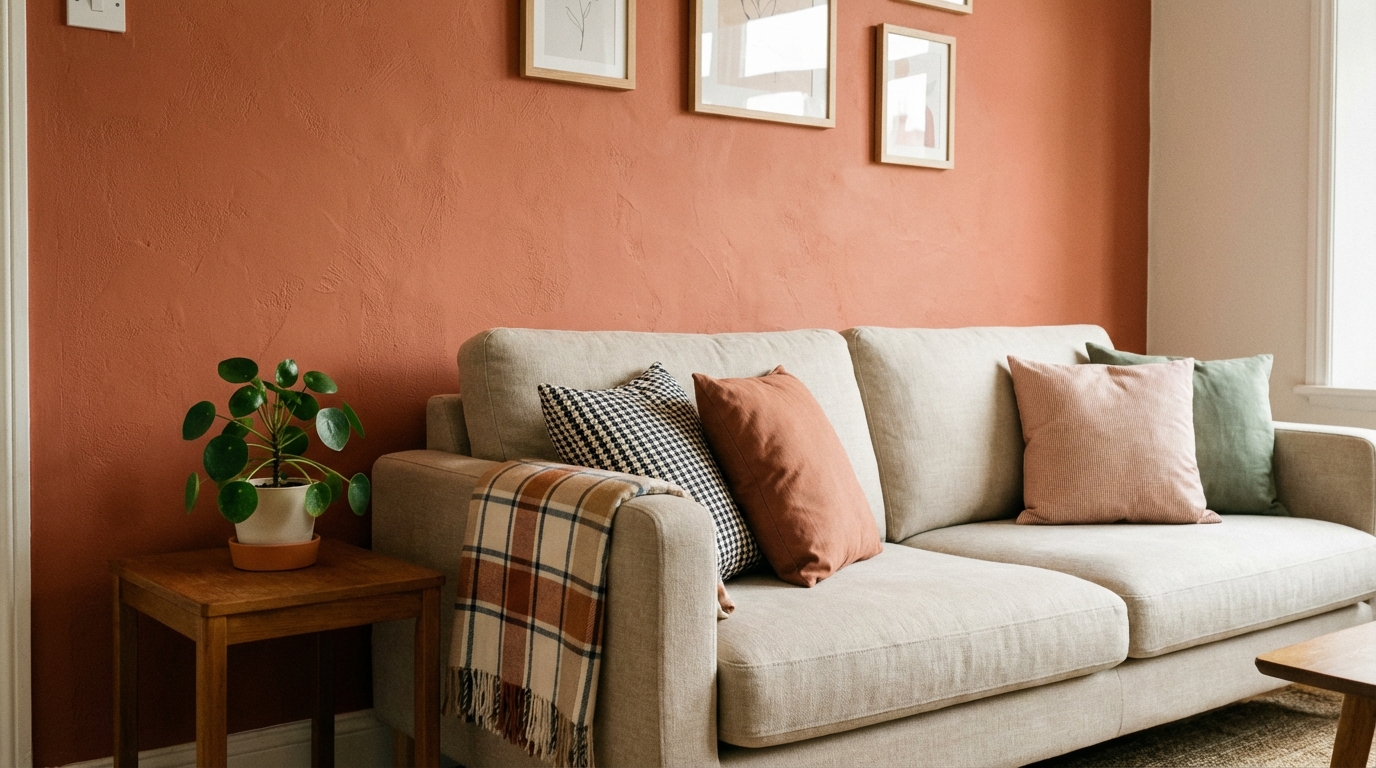
Olohuone on tekoälyn voittaja-tila. Se on tyypillisesti kodin isoin huone, näkyvin vieraille ja kallein sisustaa uudelleen. Sen testaaminen, näyttäisikö oma beige olohuoneesi paremmalta syvällä tummansinisellä vai lämpimällä terrakotalla — ennen kuin olet ostanut 300 euron edestä maalia K-Raudasta — on korkein yksittäinen käyttötapaus tekoäly-visualisoinnille. Tyylikokeilut kuten bohem, mid-century moderni tai minimalistinen tapahtuvat sekunneissa sen sijaan että tuijottaisit viikkoja Pinterestiä.

Keittiö
Keittiöremontit ovat tunnetusti kalliita: suomalaisessa kerrostaloasunnossa täysi keittiöremontti vie helposti useita tuhansia euroja, ja haastavammissa vanhoissa rakennuksissa lasku saattaa nousta viisinumeroiseksi kun vesiputkisto, sähköt ja mahdollinen asbestikartoitus tulevat huomioon. Tekoälytyökalujen avulla voit testata mustan keittiön konsepteja, kokeilla avohyllyjen ja suljettujen kaappien vertailua tai katsoa, miten puinen työtaso sopii nykyisen laattasi kanssa. Visualisointi ei riitä urakoitsijan pohjapiirrokseksi, mutta se estää kalleimman virheen — suunnan johon jäät katumaan ensimmäisen käsirahan jälkeen.
Suomalaisessa kontekstissa tekoäly auttaa erityisesti yhdessä asiassa: vanhojen kerrostalokeittiöiden uudistus pintaremontilla. Moni 70-luvun kerrostalon asukas ei halua sitoutua täyteen remonttiin mutta haluaa raikkaamman ilmeen. Tekoäly näyttää sekunneissa, miten vanhat tammenruskeat kaapit muuttuvat valkoisilla ovilla tai miten betoniharmaa työtaso korvautuu vaalealla kiviaineksella — ilman että sinun tarvitsee käydä läpi koko taloyhtiön materiaaliluetteloa mielessäsi.
Makuuhuone
Makuuhuone hyötyy tekoäly-visualisoinnista silloin, kun kokeilet väriä ja tunnelmaa. Valkoinen makuuhuone näyttää rauhoittavalta valokuvassa mutta tuntuu sairaalamaiselta arjessa? Tekoäly näyttää, miten lämpimät valkoiset, viileät harmaat ja korostusvärit reagoivat juuri sinun huoneesi valoon. Tämä on erityisen hyödyllistä pohjoiseen päin olevalle makuuhuoneelle (viileämpi valo) verrattuna etelään suunnattuun (lämpimämpi valo) — sama sävy näyttää täysin erilaiselta orientaation mukaan. Tekoäly ottaa huomioon todelliset valo-olosuhteesi paljon luotettavammin kuin 5 × 5 cm maalitesteri rautakaupasta.
Kylpyhuone
Modernissa kylpyhuoneessa on materiaaleja joita on vaikeaa ja kallista vaihtaa: laatat, hanat, altaat, työtasot. Tekoäly-visualisointi auttaa arvioimaan laattakuvioita ja allaskaapin tyyliä ennen kuin sitoudut useita tuhansia euroja maksavaan remonttiin jota et voi helposti peruuttaa. Suomessa kylpyhuoneremontti lähtee lähes aina vesieristeiden uusimisesta — tämä on standardivaatimus, joka nostaa kokonaisbudjettia ja sitoo näkyvät valinnat paikoilleen vuosikymmeniksi. Juuri tämän vuoksi visuaalisen päätöksen lukitseminen etukäteen on erityisen arvokasta suomalaisessa kontekstissa: vaihtaminen kesken projektin ei ole vain kallista, se vaatii usein koko vesieristys-kerroksen aukaisemista uudestaan.
Parveke ja piha
Parvekkeen ja terassin ideat ovat suomalaisissa kerrostaloasunnoissa kasvava käyttötapaus. Tekoäly näyttää miten paljas betonilattia muuttuu puisen terassilauan, ruukkujen ja ulkokalusteiden myötä — erityisen hyödyllistä vuokra-asunnoissa joissa haluat visualisoida väliaikaisia parannuksia. Suomalaisessa kontekstissa parvekkeelle suunnitellaan yleensä helmikuinen–huhtikuinen sulamiskausi mielessä, joten visualisoinnissa kannattaa testata myös tyhjemmän talviversion ilme.
Kotitoimisto
Etätyön nousun jälkeen kotitoimistosta on tullut monen suomalaisen tärkein työhuone. Tekoäly-visualisointi auttaa testaamaan, parantaako tummansininen korostusseinä ruudun takana videopuheluiden visuaalista ilmettä, sopivatko avohyllyt vai suljetut kaapit työtyyliisi, ja miten eri työpöytäasennot suhtautuvat ikkunavaloon. Hyvin suunniteltu työhuone vaikuttaa suoraan keskittymiseen — ja tekoäly antaa sinun optimoida sen minuuteissa kuukausien sijaan.
Eteinen
Usein unohdettu tila, eteinen, hyötyy tekoäly-suunnittelusta koska se on pieni ja suuri-vaikutteinen alue. Peilin sijoittelun, säilytysratkaisujen ja korostusvärien testaaminen kapealla käytävällä on vaikeaa pelkästään päässä. Tekoäly näyttää konkreettisesti, miten kapea konsolipöytä ja ylimitoitettu peili muuttaa unohdetun nurkan tervetulleeksi sisäänkäynniksi — ilman että ostat väärän kokoisen kalusteen johon pettyä. Suomalaisessa kerrostalossa eteinen kerää lisäksi kuravaateet, kengät, lumikolan varren ja talvitakit, joten testaa tekoälyllä erityisesti sellaista visuaalista ratkaisua jossa säilytys piiloutuu — tämä on erilainen käyttötapaus kuin eteläeurooppalaisen kodin koristetila, joka monissa englanninkielisissä tyylikirjastoissa on oletuksena mallina.
Ilmainen vai maksullinen: mitä oikeasti saat
Sana “ilmainen” näkyy lähes jokaisessa sisustussuunnittelu-ohjelman hakutuloksessa. Tässä rehellinen erittely siitä, mitä ilmaisversioista yleensä saa:
Mitä ilmaiset versiot tarjoavat:
- 1–3 huoneen muutosta — tarpeeksi testataksesi teknologiaa, ei tarpeeksi sisustaaksesi koko asuntoa uudelleen
- Rajoitettu tyylivalikoima — yleensä 5–10 tyyliä koko kirjaston sijaan
- Matalampi tarkkuus lopputuloksissa — hyvä näytölle, ei kelpaa jakamiseen tai tulostukseen
- Vesileiman lisäys kuviin — osa työkaluista lyö brändinsä ilmaistuloksiin
Koska maksullinen on järkevä valinta:
- Haluat kokeilla enemmän kuin kolmea tyyliä samassa huoneessa (useimmat tarvitsevat 5–10 kokeilua löytääkseen suuntansa)
- Työskentelet useamman huoneen kanssa (koko asunnon uudelleensuunnittelu vie vähintään 15–30 generointia)
- Tarvitset korkearesoluutioisia vientejä puolisolle, vuokranantajalle tai urakoitsijalle jaettavaksi
- Haluat ennen–jälkeen -vertailut täydessä laadussa
Laskutoimitus on yksinkertainen: maksullinen sovellus kuten Homeify hintaan 45 €/vuosi maksaa vähemmän kuin yksi maalitesterin sarja rautakaupasta. Jos se estää edes yhden väärän värivalinnan, se on maksanut itsensä takaisin.
Yksi yllättävä detalji: “ilmaiset” selaingeneraattorit maksavat usein enemmän kuin maksulliset sovellukset, kun niitä käytetään tosissaan. Tyypillinen krediittipohjainen selaintyökalu veloittaa 1,50–3 € per generointi. Kolme huonetta × viisi tyylikokeilua = 15 generointia = 22–45 € krediittejä — sama kuin vuosimaksullinen sovellus, mutta ilman rajoittamatonta käyttöä vuoden loppuun. Laske aina todellisen käyttösi kokonaishinta, älä vain sisääntulohintaa.
Suomalainen hakukäyttäytyminen paljastaa myös mielenkiintoisen vihjeen tämän kategorian käyttäjistä. Kun tarkastelet suomalaisten käyttämiä hakutermejä, sana ohjelma hallitsee selvästi sovellus-termiä kun kyse on kodin suunnittelusta. Toisin sanoen, vaikka itse työkalu toimisi iOS-puhelimen sovelluksena, suomalaiset etsivät sitä ohjelma-sanalla. Tämä tarkoittaa käytännössä, että kun vertailet vaihtoehtoja, sinun kannattaa hakea sekä sisustussuunnittelu ohjelma että sisustussuunnittelu sovellus — ensimmäinen paljastaa 3D-työkalut ja toinen mobiilisovellukset, mutta molemmat kategoriat ovat samassa kilpailukentässä valintasi kannalta.
Näin saat parhaan tuloksen tekoäly-suunnittelusta
Tekoälyn tuottaman kuvan laatu riippuu rajusti syötteesi laadusta. Näillä ohjeilla saat lopputuloksia joihin voit luottaa:
Kuvauksen vinkit:
- Kuvaa huoneen nurkasta niin että näet kaksi seinää, lattian ja katon samaan aikaan — tämä antaa tekoälylle maksimaalisen spatiaalisen tiedon
- Käytä luonnonvaloa aina kun mahdollista. Keinovalo heittää sävyjä jotka vääristävät tekoälyn käsitystä seinistäsi ja lattiastasi
- Pidä puhelin suorassa ja vakaana — vinot otokset tuottavat vääristyneitä lopputuloksia
- Poista sotku pöytätasoilta. Täysi työpöytä tai ylitsevuotava hylly sekoittaa segmentointialgoritmin

Tyylinvalinta-strategia:
- Aloita 3–5 tyylistä jotka oikeasti kiinnostavat sinua, kavenna sitten sen mukaan mitkä toimivat huoneesi mittasuhteiden ja valon kanssa
- Huomio huoneen kiinteät elementit — jos sinulla on lämpimät puulattiat, kylmät teollisen tyylin vaihtoehdot saattavat iskeä yhteen. Jos ikkunat osoittavat pohjoiseen, tummat ja raskaat tyylit riskaavat tuntua ahdistavilta
- Tallenna suosikkisi ennen–jälkeen -parina — rinnan vertailu on luotettavampaa kuin muistaa mitä kukin vaihtoehto näytti
Yleisimmät virheet:
- Sovelluksen omien demokuvien käyttäminen arvioinnin pohjana — testaa aina omilla kuvillasi. Markkinointidemot käyttävät ideaalia valoa ja kulmaa joita omalla asunnollasi ei välttämättä ole
- Liian monen tyylin kokeileminen kerralla — aloita 3–5 jotka aidosti kiinnostavat. Kolmenkymmenen satunnaisen tyylin generointi aiheuttaa päätöshalvauksen, ei selkeyttä
- Kiinteiden elementtien sivuuttaminen — lattiasi, sisäkorkeutesi ja ikkunoiden sijainti ovat vakioita. Tekoäly-ehdotus joka näyttää upealta loftissa jossa on 3,5 metrin sisäkorkeus saattaa tuntua ahdistavalta standardikerroskorkeudessa 2,5 metriä
Mitä tekoäly ei tee:
- Mittaa tilaasi — se visualisoi, se ei laske mahtuuko sohva oveen tai käytävään
- Osta tuotteita puolestasi — se näyttää tyylisuunnan, ei ostoslistaa tarkkoja tuoteviitteitä (vaikka osa työkaluista alkaa lisätä tätä ominaisuutta)
- Korvata ammattilaisen neuvon rakenteellisiin muutoksiin — kantaavat seinät, sähkötyöt ja putkityöt vaativat arkkitehdin tai urakoitsijan, eivät sovellusta
- Ottaa huomioon akustiikkaa ja lämpötilaa — kaunis marmorikylpyhuone saattaa näyttää upealta tekoälyssä mutta tuntua kylmältä ja kaikuvalta todellisuudessa
Tekoäly-suunnittelu vuokralaiselle ja omistajalle
Käyttötapaus eroaa merkittävästi sen mukaan, omistatko asuntosi vai vuokraatko sen.

Vuokralaiset hyötyvät tekoälytyökaluista eniten, koska jokainen muutos on peruutettavissa — maali, kalusteet, tekstiilit, valaistus. Tekoäly-visualisointi antaa sinun testata ideoita jotka on helppo purkaa kun muutat pois: korostusseinä salvian vihreällä, pieni yksiö tilanjakajalla tai galleriaseinän järjestys. Rajoitus (ei pysyviä muutoksia) tekee visualisoinnista jopa arvokkaamman — sinun täytyy osua oikeaan heti ensi yrittämällä.
Omistajat voivat käyttää tekoälyä remonttipäätöksen esisuodattimena. Ennen kuin sitoudut viisinumeroiseen keittiöremonttiin, generoi kymmenen eri suuntaa Homeify-sovelluksella ja kavenna kahteen tai kolmeen finalistiin. Vie sitten nämä visualisoinnit urakoitsijallesi tai sisustussuunnittelijallesi lähtöbriifinä. Tunnit Pinterest-taulujen kokoamista vaihtuvat konkreettisiin kuviin juuri sinun keittiöstäsi eri tyyleissä.
Käytännön työnkulku omistajalle joka suunnittelee remonttia:
- Kuvaa jokainen huone jonka aiot remontoida
- Generoi 3–5 tyylisuuntaa per huone tunnistaaksesi mikä resonoi
- Jaa ennen–jälkeen -kuvat puolisolle tai perheelle konsensusta varten
- Vie 2 parasta finalistia sisustussuunnittelijalle tai urakoitsijalle visuaalisena briifinä
- Käytä tekoälyn tuottamia kuvia referenssinä materiaalikaupoilla — näytä kuva myyjälle K-Raudassa tai Bauhausissa löytääksesi vastaavat tuotteet
Molemmissa tapauksissa arvolupaus on sama: näe ennen kuin maksat. Tekoäly-sovelluksen tilausmaksu on mitätön verrattuna sellaisen sisustusvirheen hintaan, jonka kanssa joudut elämään — tai maksamaan purettavaksi. Ja suomalaisessa arjessa, jossa kodin remontit usein rytmitetään useamman vuoden välein, jokainen etukäteen tehty visuaalinen testi siirtää kalliin korjausliikkeen pois tulevaisuuden tehtävälistaltasi ja suoraan asunnon näkyville pinnoille tähän päivään asti kestävänä ratkaisuna.
Usein kysytyt kysymykset
Paras riippuu projektin vaiheesta. Jos haluat nähdä oman olohuoneesi uudessa tyylissä yhdestä valokuvasta, valokuvapohjainen tekoälysovellus on nopein reitti — Homeify tarjoaa yli 80 tyyliä, tulokset alle 30 sekunnissa ja 45 €/vuosi kiinteän hinnan. Jos taas tarvitset millintarkan pohjapiirroksen remonttipajalle, ilmainen 3D-mallinnusohjelma tai kalustebrändin oma suunnittelutyökalu on parempi valinta.
Otat yhden valokuvan huoneesta päivänvalossa, lataat sen sovellukseen kuten Homeify ja valitset haluamasi tyylin. Tekoäly tunnistaa seinät, lattian, ikkunat ja olemassa olevat kalusteet, ja luo samasta kuvakulmasta uuden version valitussa tyylissä alle puolessa minuutissa. Et tarvitse kehotteita, mallinnustaitoa tai suunnitteluohjelman kurssia.
On. Useimmilla työkaluilla on maksuton versio: Homeify antaa kokeilukäyttöisiä generointeja iOS-laitteille, monet selaimessa toimivat 3D-mallinnusohjelmat eivät vaadi asennusta, ja isojen kalustebrändien omat pohjapiirros-työkalut ovat täysin maksuttomia. Valintakriteeri on, mitä olet tekemässä — valokuvasta inspiroituminen vai pohjapiirroksen piirtäminen.
Vuoden 2026 parhaat sovellukset tuottavat valokuvanomaisia tuloksia, jotka näyttävät lähes erottamattomilta oikeasta sisustusvalokuvasta. Laatu riippuu kuitenkin eniten lähtökuvasta: luonnonvalo ja kuvakulma nurkasta tekevät ratkaisevan eron. Tekoäly on erinomainen värien, tyylin ja kalustuksen simuloinnissa, mutta se ei mittaa millintarkkoja dimensioita eikä kerro, mahtuuko sohva olohuoneen oveen.
Jos olet muuttamassa uuteen kaksioon tai kolmioon ja mietit väriä, kalustetyyliä tai yleistunnelmaa, valokuvapohjainen tekoälysovellus kuten Homeify on ylivoimaisesti nopein — saat 10 eri tyyliä samasta olohuoneesta viidessä minuutissa. Jos suunnittelet keittiöremonttia tai kylpyhuoneremonttia jossa mittatarkkuus ratkaisee, 3D-ohjelma on pakollinen. Moni aloittaa tekoälystä ja siirtyy 3D-työkaluun vasta lopullisen urakoitsijakeskustelun alla.
Lue lisää
Oliko tästä artikkelista apua?
Lataa
Muunna mikä tahansa huone tekoälyn avulla – lataa Homeify ja aloita kotisi sisustussuunnittelu ilmaiseksi.
